I’ve always believed that the most exciting part of AI is its ability to give us new perspectives. It’s not just about automating tasks, but about unlocking deeper layers of understanding in the world around us. This fascination is at the heart of my latest project: Vision AI.
More Than a Picture: It’s a Dataset
We look at dozens, if not hundreds, of images every day. They’re static. They are what they are. But what if they weren’t? What if you could treat every image not as a picture, but as a rich, interactive dataset waiting to be explored? That was the question I wanted to answer. I envisioned a tool that could act as a digital magnifying glass, a detective’s toolkit, and an artist’s paintbrush all at once, allowing anyone to interrogate an image and uncover the stories hidden within.
What is Vision AI?
That idea evolved into Vision AI, a multi-modal computer vision platform built to be a one-stop-shop for image analysis. It’s an interactive web app that lets you upload a picture and see it through five different AI-powered lenses. The goal was to create a fluid, intuitive experience where you could move beyond simply viewing an image and start truly interacting with its content.
The Five Lenses of Vision AI
Instead of just one function, Vision AI offers five unique ways to “see” your image, each providing a different layer of insight.
- The Storyteller’s Lens (Image Captioning): This is your starting point. It looks at the entire scene and instantly generates a descriptive, human-like sentence that tells the story of the image.
- The Investigator’s Lens (Visual Question Answering): For when a simple description isn’t enough. This lens lets you become a detective, asking direct questions like, “What is the person on the left wearing?” or “Is the building in the background made of brick?”
- The Inspector’s Lens (Object Detection): This provides a meticulous breakdown of the scene, drawing a box around every single object it recognizes and creating a neat, organized list of everything it found.
- The Artist’s Lens (Image Segmentation): This lens sees the world in shapes and colors, creating a pixel-perfect map of every object’s boundary. It’s not just for analysis—it’s what enables creative effects like a “portrait mode” blur, artfully separating a subject from its background.
- The Translator’s Lens (Optical Character Recognition): This lens sees the text hidden in plain sight. It finds and transcribes any words in your image, turning street signs, documents, or posters into text you can copy and use.
Vision AI in Action
Here are some examples of the different AI lenses at work.
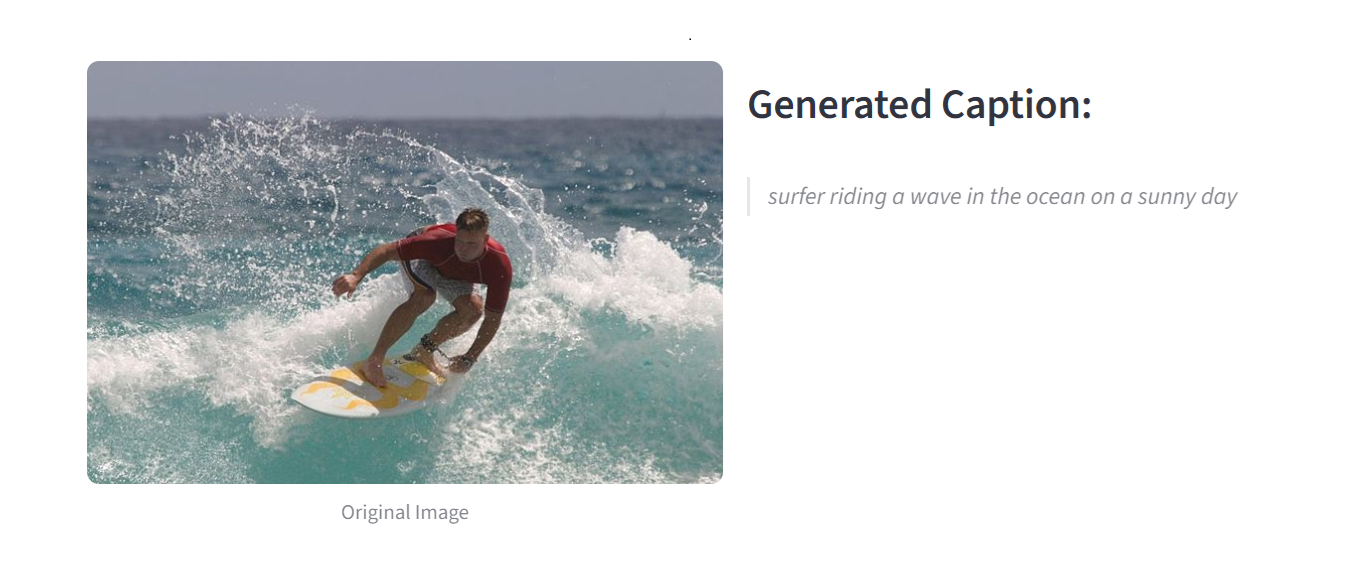
Image Captioning
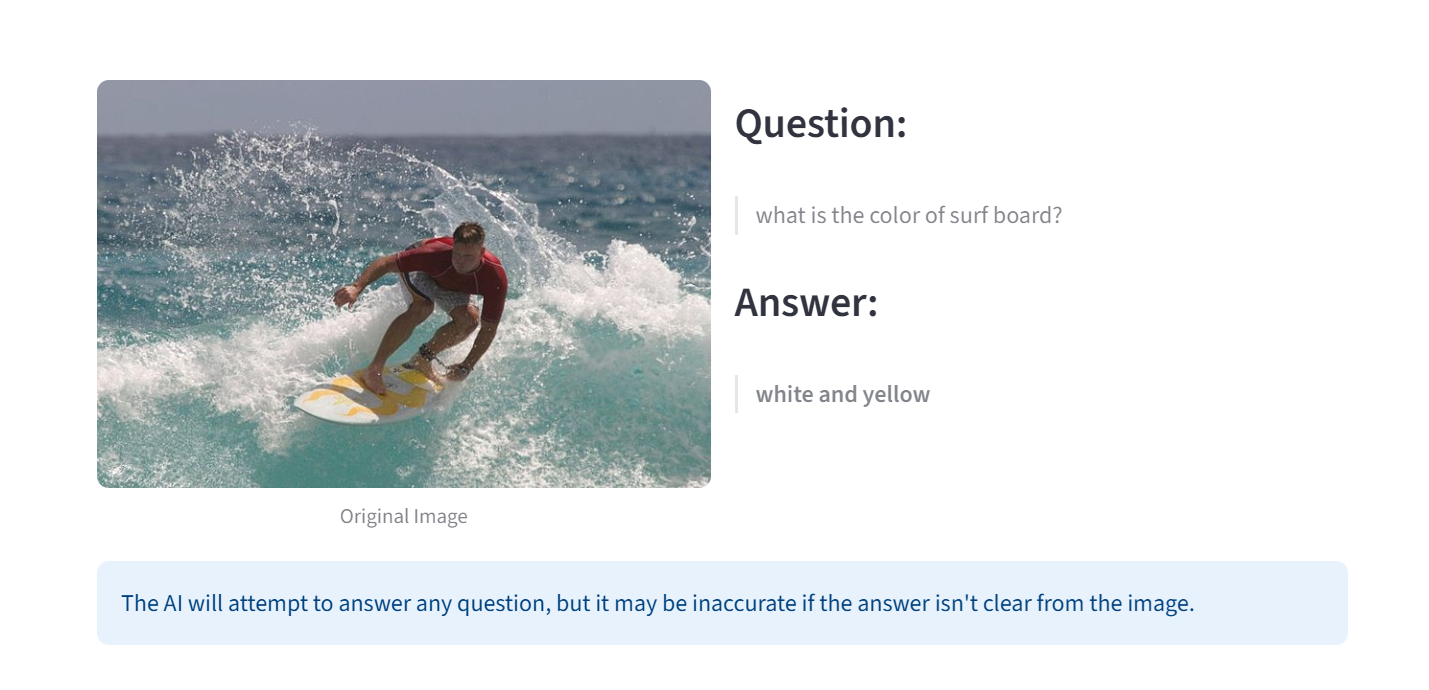
Visual Question Answering
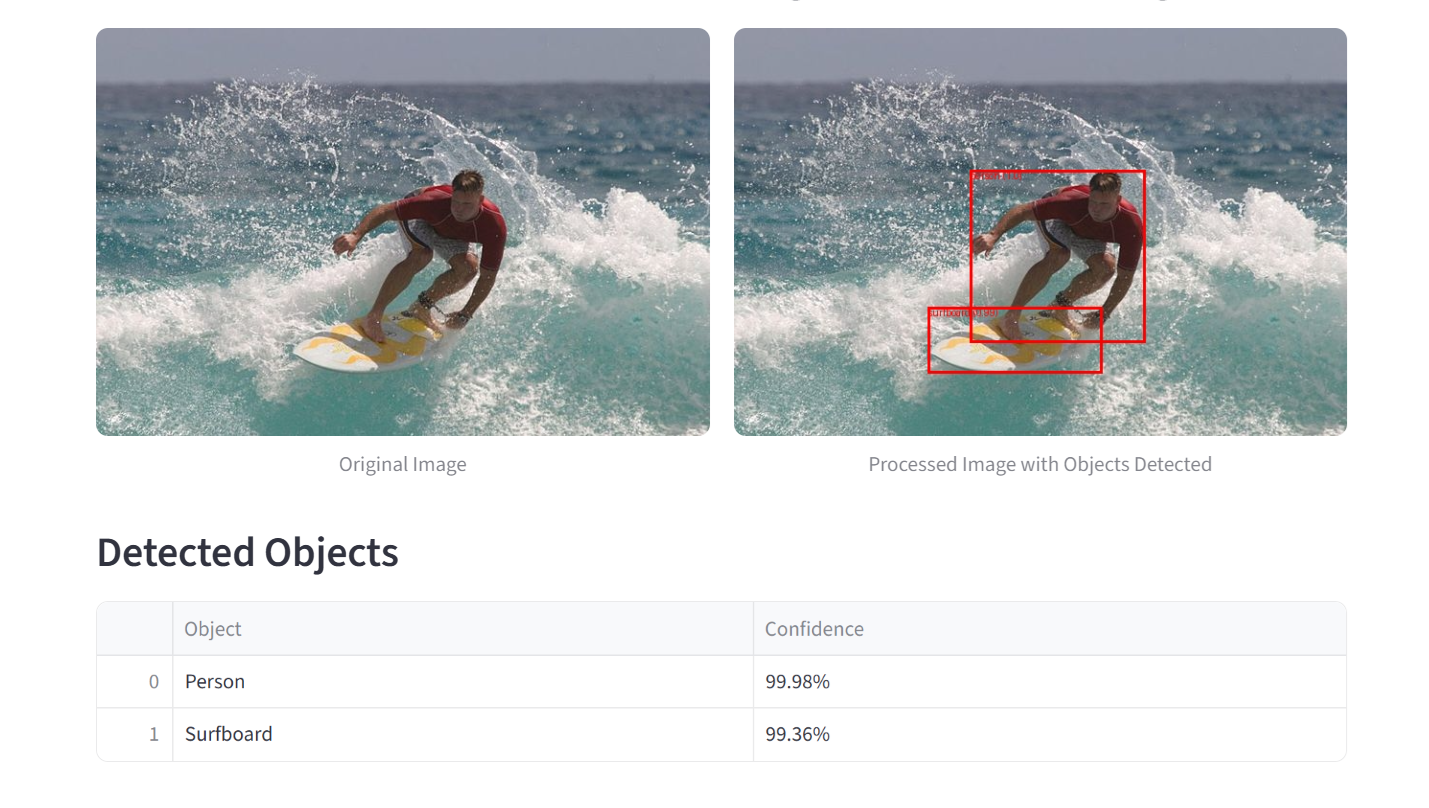
Object Detection
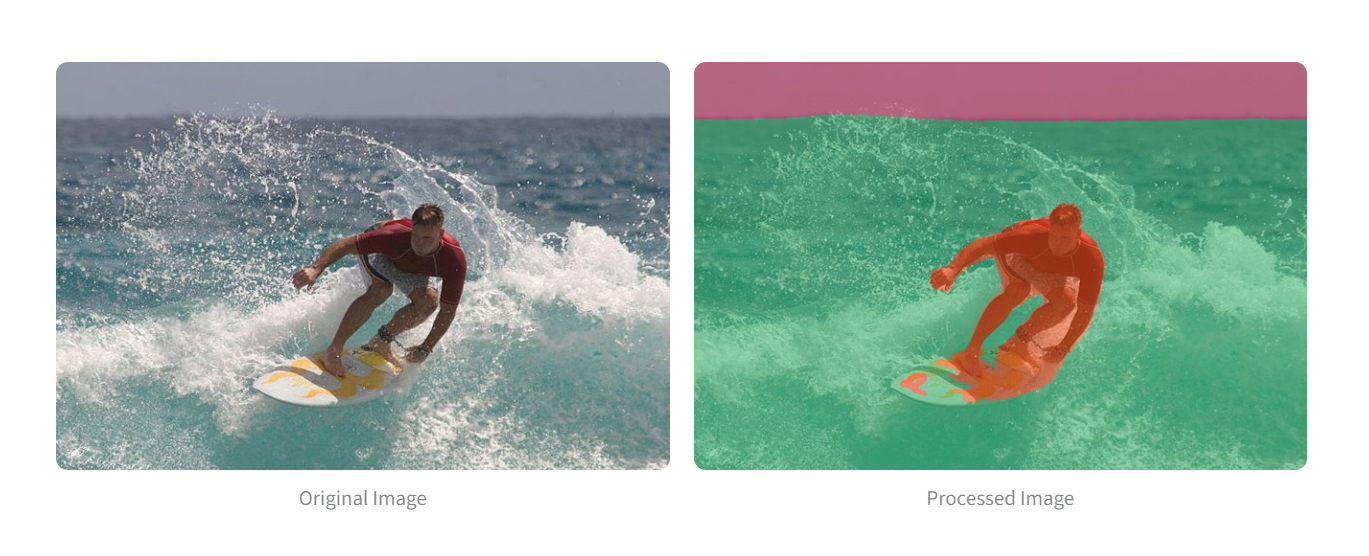
Image Segmentation
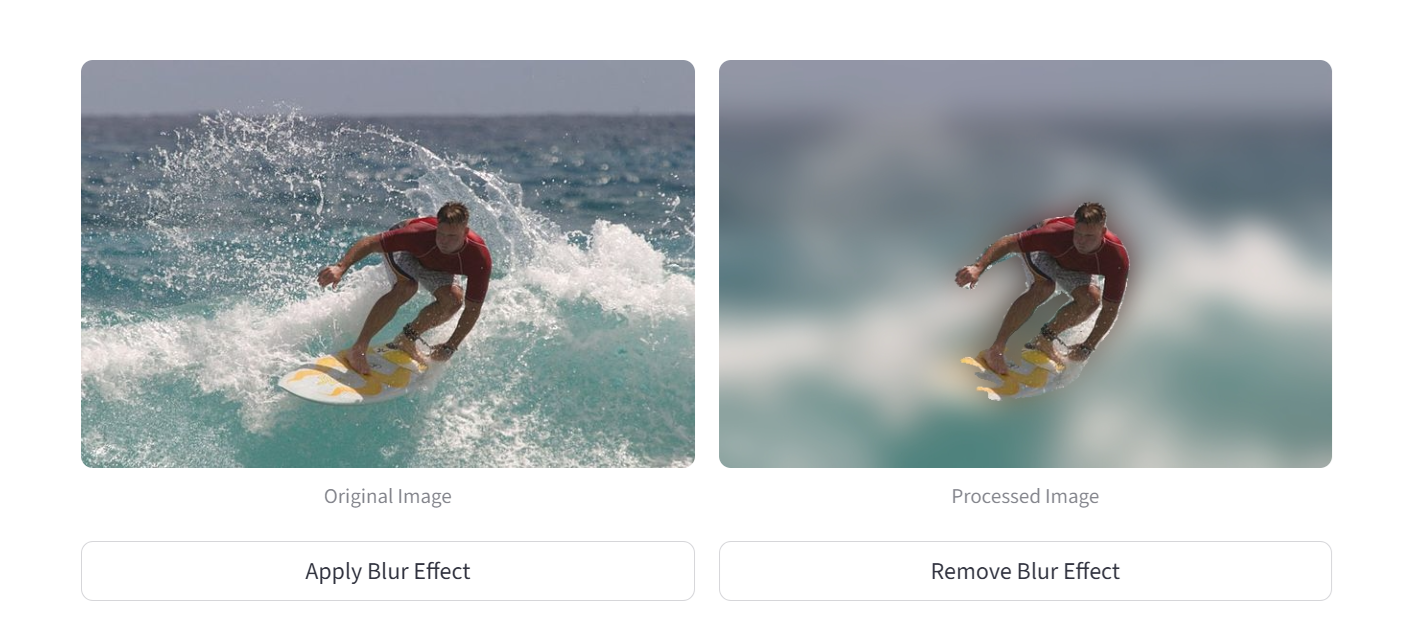
Background Blur Mode
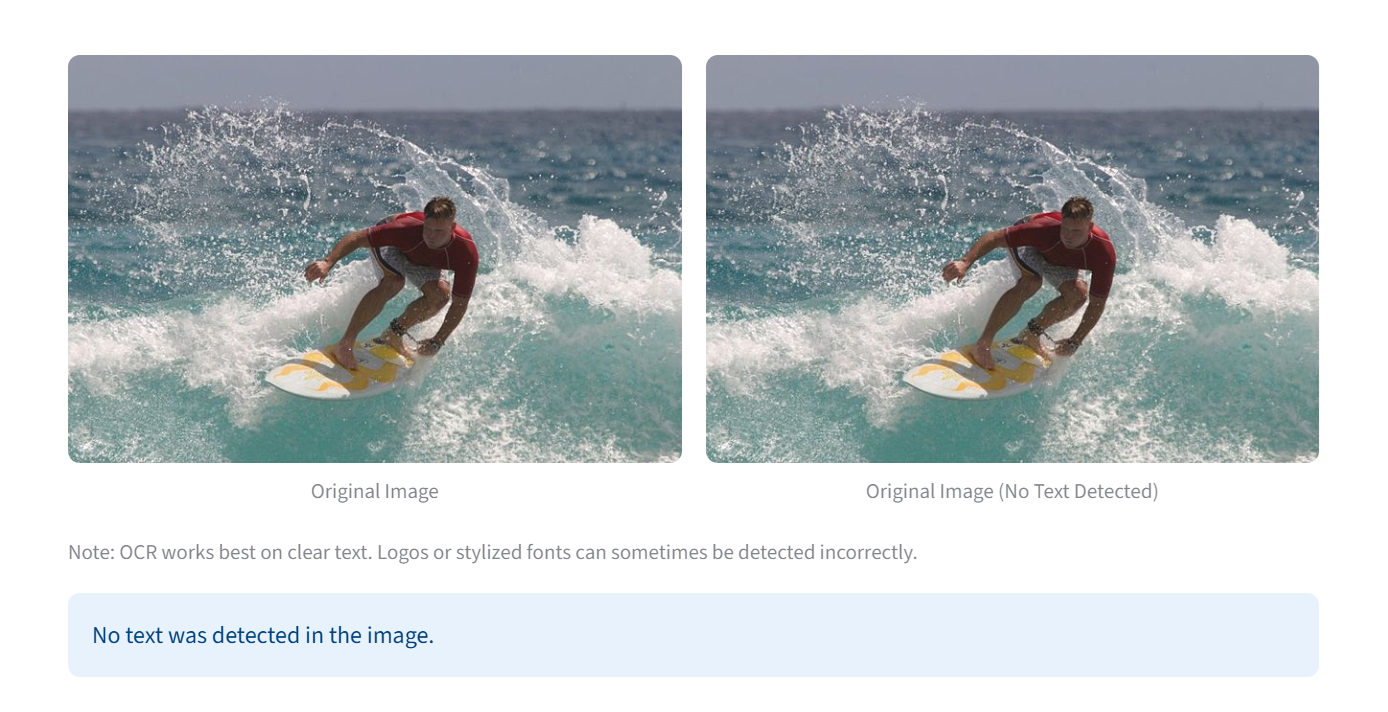
OCR - Without Text
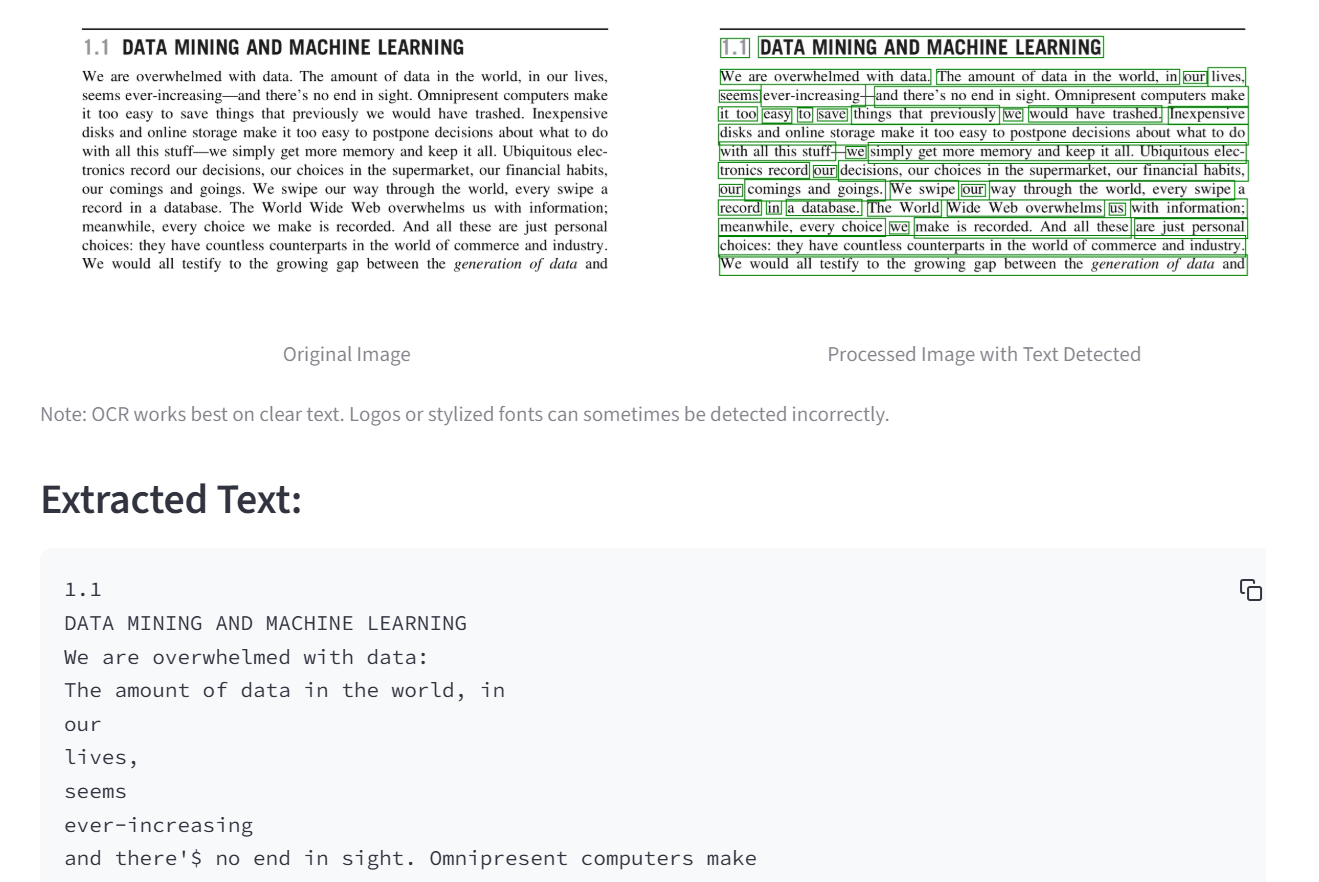
OCR - With Text
How It Works: The Tech Behind the Vision
The project is built entirely in Python and brings together a few key technologies:
- Streamlit: A fantastic library for creating beautiful, interactive web applications directly from Python scripts.
- Hugging Face Transformers: The core of the project, providing state-of-the-art, pre-trained models like BLIP for captioning, DETR for object detection, and SegFormer for segmentation.
- EasyOCR: A powerful and straightforward library used to handle the text extraction task with high accuracy.
What Makes Vision AI Special?
While the individual models are incredible, the magic of Vision AI comes from three core principles:
- A Unified Experience: The biggest advantage is having all these tools in one place. You can seamlessly switch between generating a story, asking detailed questions, and inspecting the scene, creating a holistic and powerful analytical workflow.
- Radical Accessibility: By wrapping these complex models in a simple Streamlit interface, Vision AI makes advanced computer vision accessible to everyone. There’s no code, no setup—just you and your image.
- Encourages Curiosity: The platform is designed to be a sandbox for exploration. It invites you to be curious, to ask strange questions, and to see how different AI models perceive the same image, turning passive viewing into an active discovery process.
One of the keys to making the app feel fast and interactive was ensuring the large AI models were loaded efficiently.
# A snippet for caching the models for faster loading
@st.cache_resource
def load_models():
    """Load all the required models and processors."""
    models = {
        # 1. Captioning Model
        "caption_model": BlipForConditionalGeneration.from_pretrained(
            "Salesforce/blip-image-captioning-large"
        ),
        # ... and so on for the other models
    }
    return models