I’ve been fascinated with how we can use large language models to create tools that make our daily lives easier. That’s what led me to create my latest project: ClassBuilder AI.
Why Build a Study Bot?
As a student, I’ve spent countless hours sifting through dense lecture notes, lengthy PDF textbooks, and complex research papers. The process is always the same: read, re-read, and then manually type out summaries, notes, and practice questions. It’s a time-consuming and often tedious part of learning. I found myself thinking, “There has to be a more efficient way.” I wanted a tool that could automate the busywork of studying so I could focus on what truly matters: understanding the material. I imagined an assistant that could live right where my study groups and I already collaborate which is Discord.
What is ClassBuilder AI?
That idea grew into ClassBuilder AI, a multi-functional Discord bot designed to be the ultimate study partner. The goal was to create a simple, intuitive tool that could take raw study materials and instantly transform them into useful learning resources. Students can simply upload a file or paste text and ask the bot to help them study, all without leaving their favorite communication platform.
How It Transforms Your Study Workflow
Imagine you’ve just finished a three-hour lecture, and the professor has uploaded a 50-page PDF of the slides. Instead of facing the daunting task of manually reviewing it, you can simply drop the file into Discord.
- Need a quick refresher before the next class? Use
/summaryto get a concise overview of the entire document. - Ready to build your study guide? The
/notescommand extracts the key concepts into clean, bullet-pointed notes, saving you the manual labor of typing. - Want to check your understanding?
/quizturns the material into a practice test with spoiler-tagged answers, allowing you to actively recall information, which is a proven method for better retention. - Need to study offline or share with friends?
/exportbundles everything into a single file for you.
This workflow turns hours of passive review into minutes of active, efficient learning.
How It Works: The Tech Behind the Bot
The project is built entirely in Python and brings together a few key technologies:
- discord.py: A powerful library for creating Discord bots and handling interactions.
- Groq API: For lightning-fast AI inference, the bot is powered by the Groq API running the
Llama 3-70bmodel. - PyMuPDF: To handle file uploads, I used this library to efficiently extract text content from PDF documents.
ClassBuilder AI in Action
Here are some examples of the different Functions in ClassBuilder.
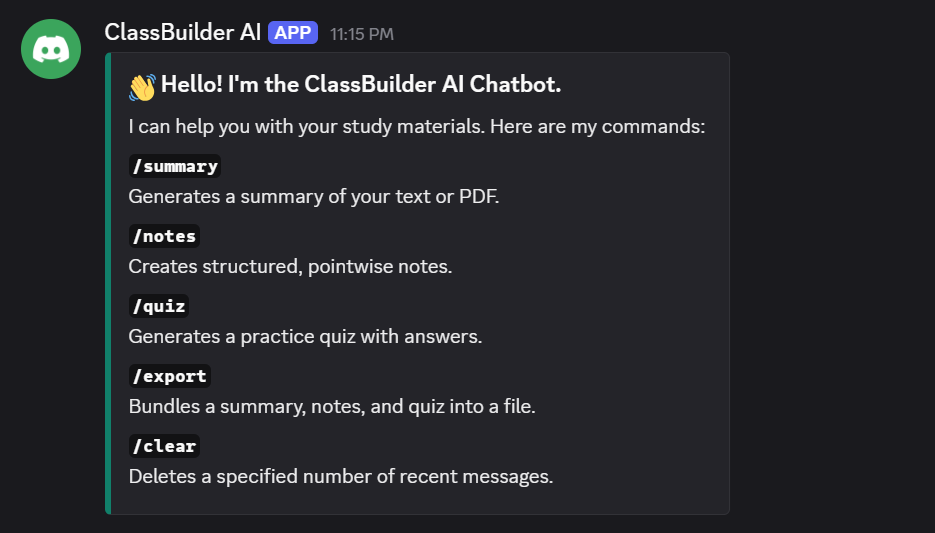
ClassBuilder Functions
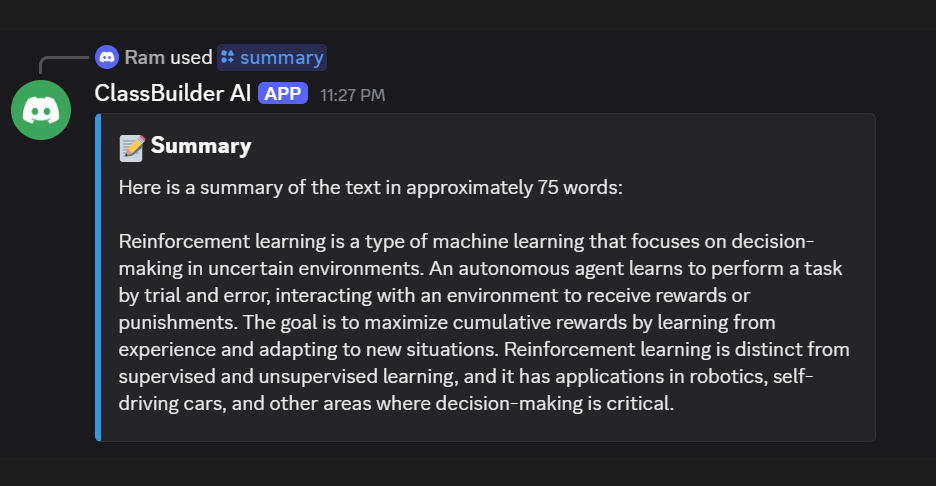
Summary
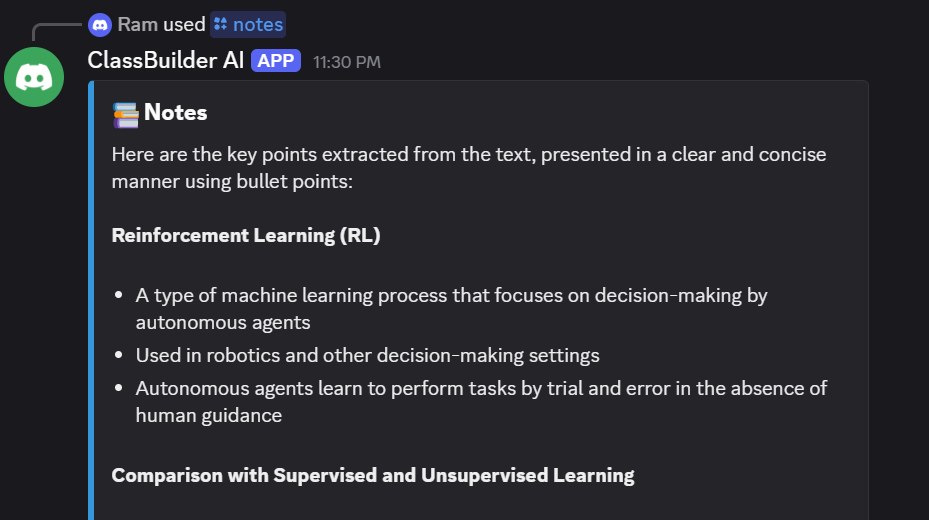
Notes
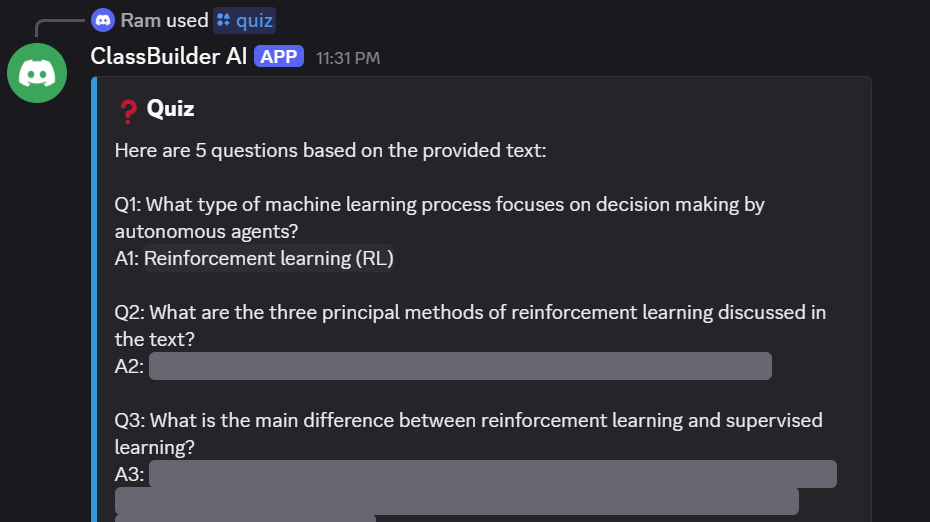
Quiz
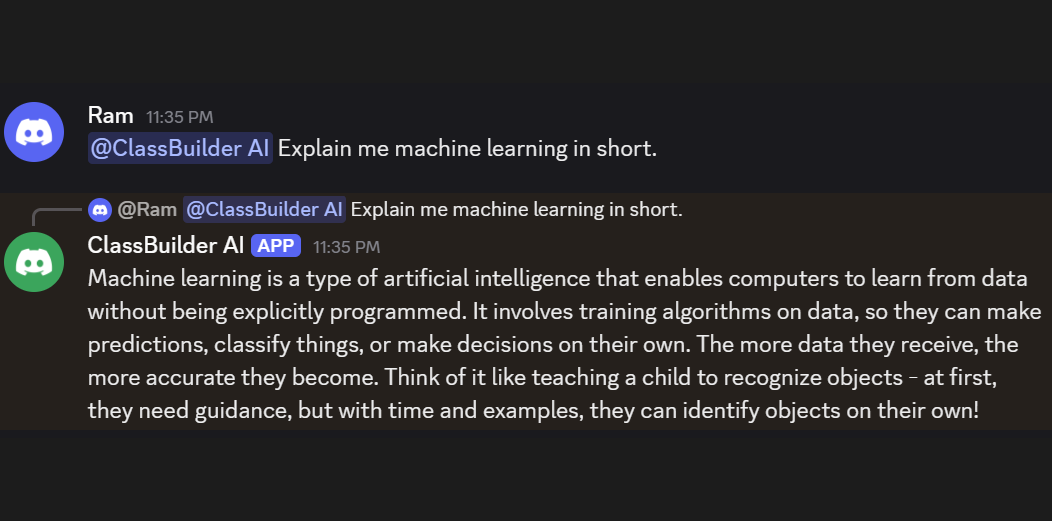
Personal Assistant
What Makes ClassBuilder AI Special?
While there are many AI summarizers out there, I designed ClassBuilder AI with a few unique principles in mind:
- It Lives Where You Work: The biggest advantage is its integration directly within Discord. There’s no need to switch between different websites or applications. It brings the study tools directly into the same environment where students already form study groups, share resources, and communicate with classmates.
- Built for Speed: In a world of loading spinners, I chose the Groq API for its incredible speed. When you’re in a focused study session, getting summaries and quizzes back almost instantly is a game-changer. It keeps your learning momentum going without interruption.
- An All-in-One Suite: It’s not just one tool; it’s a complete study suite. The ability to summarize, create notes, generate quizzes, and export everything from a single command makes it a more powerful and cohesive tool than using four separate apps.
One of the most important parts of an AI project is prompt engineering. To ensure the quiz feature was accurate and helpful, I had to give the AI a very specific set of instructions.
### A snippet of the system prompt for the /quiz command

system_prompt = "You are a quiz generation expert for academic and educational material. Your task is to create questions based ONLY on the main educational topics, concepts, and definitions in the provided text. You must ignore any metadata, such as author names, professor names, copyright notices, or course logistics. Focus strictly on the subject matter. Create questions with clear answers from the text and hide the answers with Discord's spoiler tags (||answer||)."